Static QR Menu vs Interactive QR Ordering: Which One Do You Need?
Aug 26, 2026
When discussing digital tools in restaurants, people frequently blur two distinct concepts: "QR Menu" and "QR Ordering".
In reality, these represent two very different levels of functionality, customer experience, and operational efficiency:
- Static QR Menu (View-Only): Scanning the code opens a static digital image or PDF file of your physical menu.
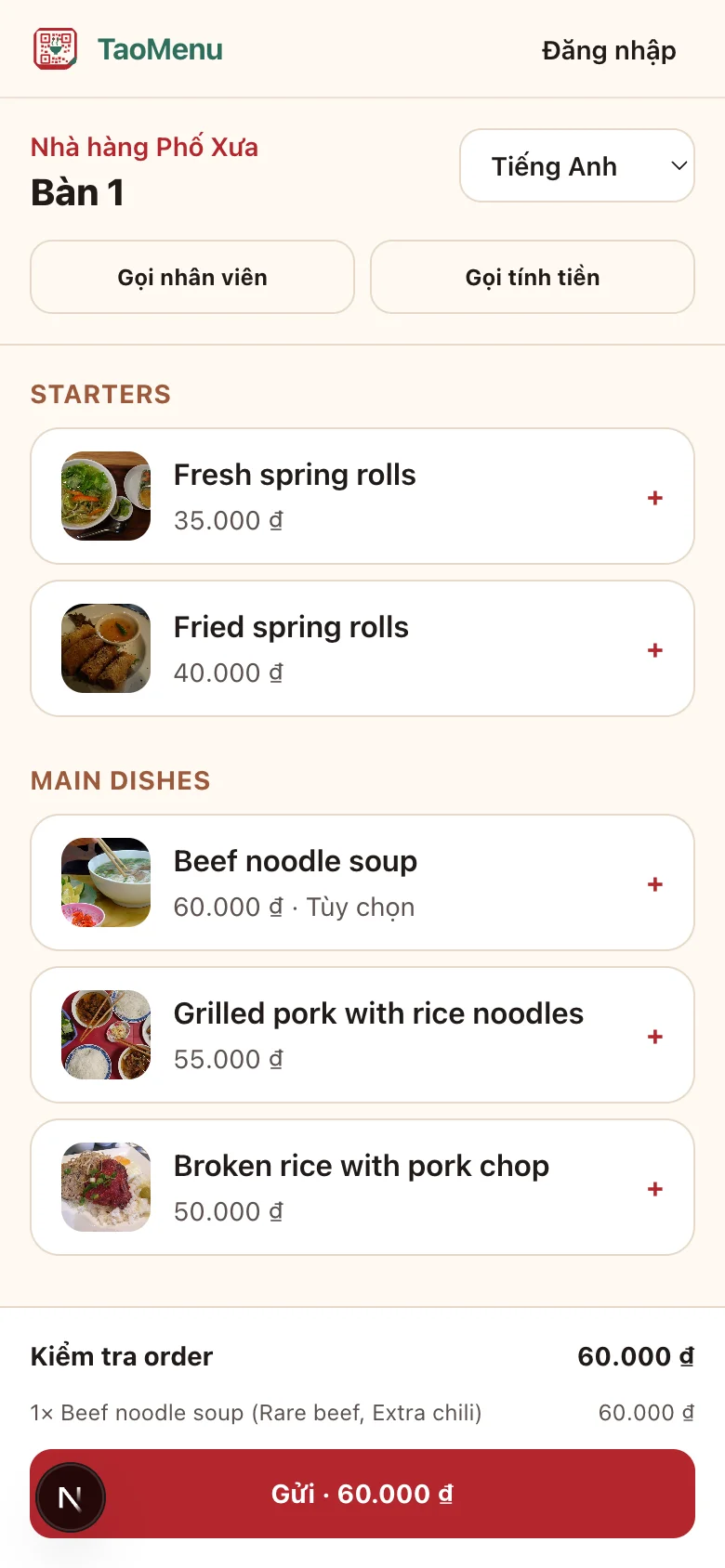
- Interactive QR Ordering (Full Digital Workflow): Scanning the code opens a live digital ordering portal where guests select dishes, customize options, send orders directly to the kitchen, and track fulfillment status.
Here is a detailed breakdown to help you determine which model fits your business.
1. Feature Comparison: View-Only vs. Interactive
| Operational Feature | Static View-Only QR Menu | Interactive QR Ordering (TaoMenu) |
|---|---|---|
| Underlying Mechanism | Opens an image / PDF hosted on Google Drive or website | Live responsive web application connected to staff |
| How Guests Order | Guests read the menu, then still have to wave down a waiter | Guests tap items and submit orders instantly from their phone |
| Staff Workflow | Waiters still need to handwrite tickets at every table | Orders pop up automatically with sound alerts on staff phones |
| Dish Customization (Modifiers) | Verbal instructions (prone to forgotten requests) | Guests tick choices on-screen (size, ice, extra toppings) |
| Sold-Out & Price Updates | Must redesign and re-upload the entire PDF/image | Toggle items off or edit prices in 1 second on mobile |
| Multilingual Capabilities | Difficult (requires separate PDFs for each language) | One-tap AI translation into English, Chinese, Japanese |
2. Why Static PDF Menus Often Frustrate Diners
Many restaurants adopted basic PDF QR menus during the pandemic, only to discover recurring customer complaints:
- Slow Loading over Mobile Data: High-res PDF files (5MB–15MB) take frustrating seconds to load on cellular networks.
- No Reduction in Waiter Bottlenecks: Guests finish reading, but still wave their hands waiting for busy floor staff to take their order during peak lunch hours.
- Frequent Ticket Mistakes: Hurried handwriting under pressure leads to wrong table numbers, missed sides, or ignored allergy warnings.
3. Which Option Should Your Venue Choose?
Choose a Static QR Menu if:
- You operate a high-end luxury cocktail bar with dedicated 1-on-1 sommelier service.
- You offer only 3–5 items that never change in price or composition.
Upgrade to Interactive QR Ordering if:
- You operate 5–30 tables where floor staff are stretched thin during rush hours.
- Your menu features customizable items (sizes, spice levels, toppings, preparation notes).
- You frequently welcome overseas tourists and need multilingual menus.
- You want accurate sales insights and ticket tracking without purchasing clunky POS terminals.
Experience Interactive QR Ordering Free
With TaoMenu, you can upgrade your dining room to modern, frictionless interactive QR ordering today at zero initial cost.
👉 Learn more: