QR Ordering with Counter Checkout: The Practical Guide for Small Restaurants
Aug 26, 2026
When exploring QR code ordering, many independent restaurant owners, cafe operators, and street food vendors share a common concern: "If we let customers scan a QR code to place orders, do we have to integrate complex payment gateways, force customers to pay online immediately, or buy expensive POS terminals?"
The short answer is: No, not at all.
The "QR Ordering with Counter Checkout" model is currently the most practical, cost-effective, and flexible solution for small and independent F&B businesses.
1. How Does This Workflow Work?
The day-to-day workflow in the restaurant is straightforward and seamless:
flowchart TD
  A["1. Customer sits at table"] --> B["2. Scans table QR code & submits order"]
  B --> C["3. Staff/Kitchen phone rings with instant order & prepares food"]
  C --> D["4. Customer finishes meal and walks to counter"]
  D --> E["5. Collect cash / card / local QR payment"]
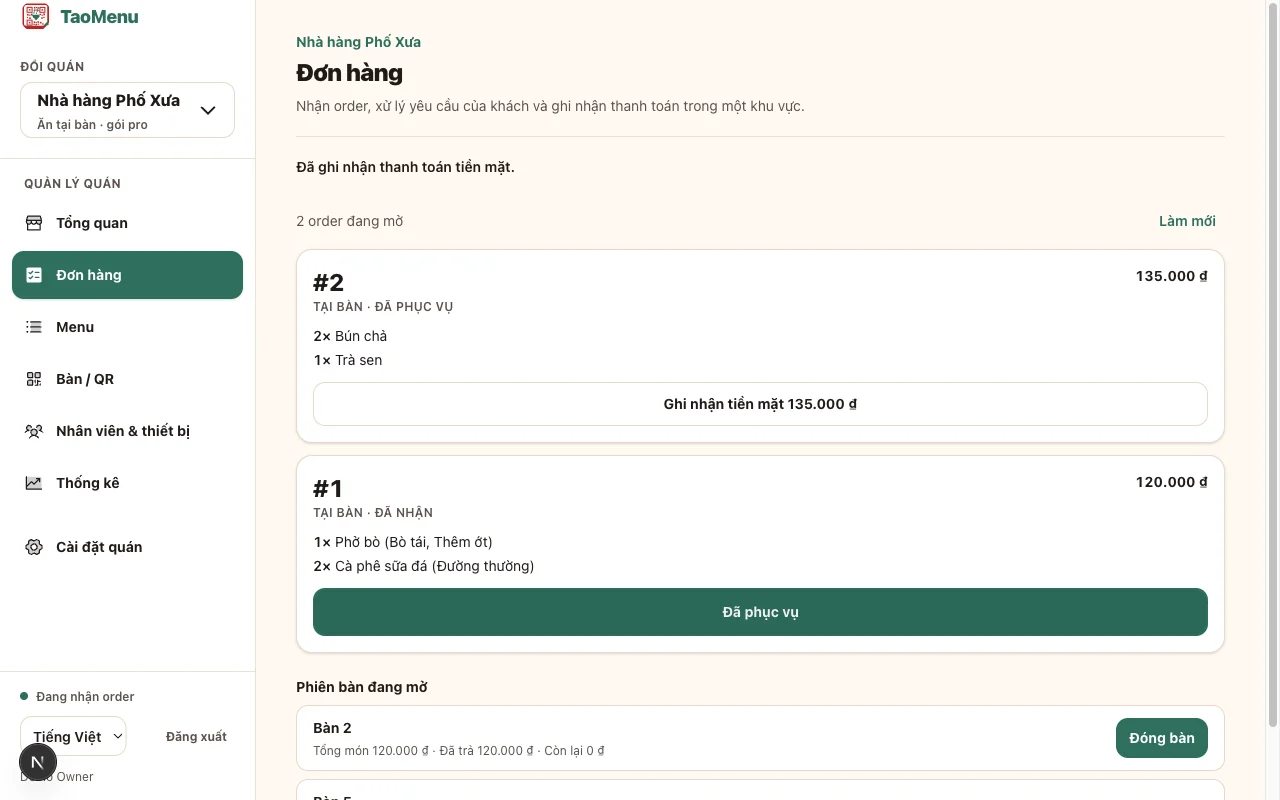
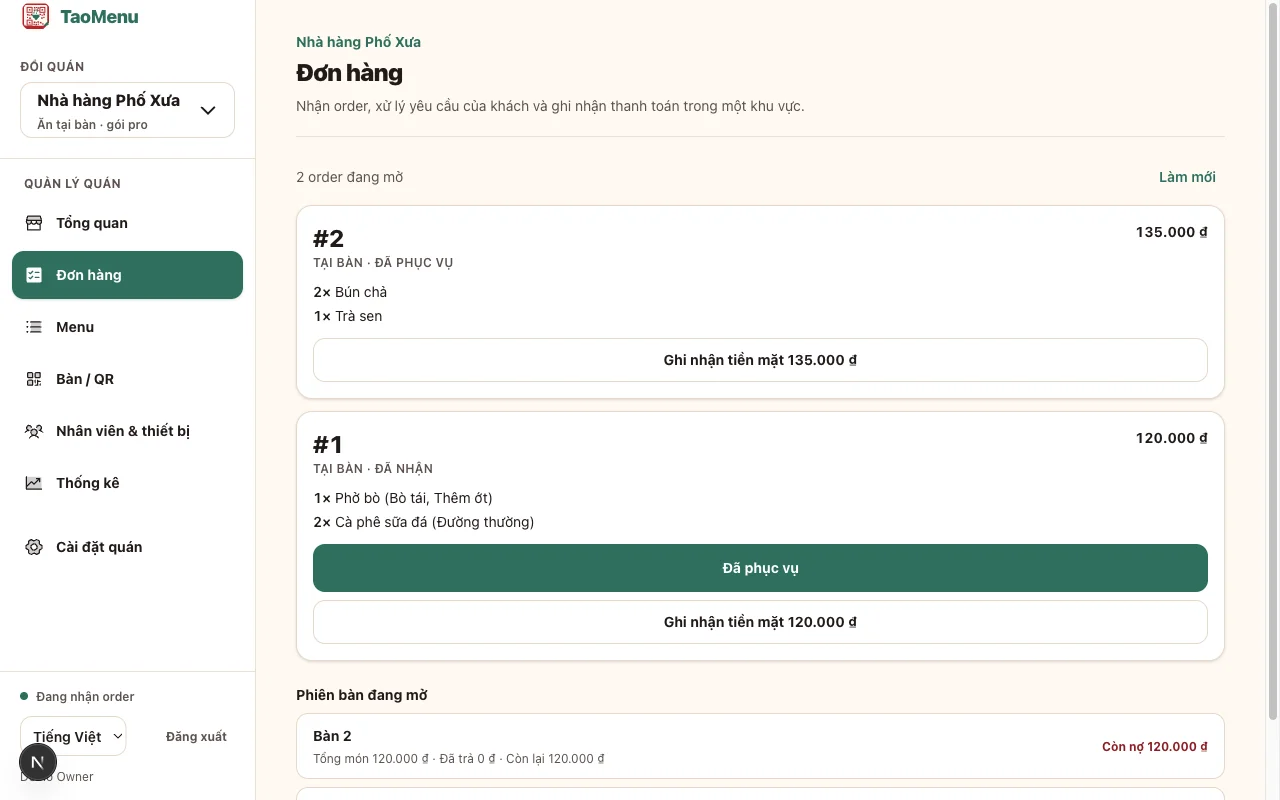
  E --> F["6. Staff taps 'Paid' on phone"]
- Customer scans the table QR code: The interactive digital menu opens directly in their mobile browser—no app downloads required.
- Customer selects items and places the order: They can customize options (sizes, toppings, spice levels, dietary notes) and tap submit.
- Staff receives instant notifications on mobile phones: Floor staff or kitchen crew receive the order details immediately on their smartphones to start food preparation.
- Customer finishes meal and walks to the counter: The customer mentions their table number or staff brings the bill to the table.
- Collect payment using your existing methods: Accept cash, swipe cards with existing standalone payment terminals, or show your standard bank transfer QR code.
- Staff confirms completion: Staff opens their mobile screen, marks the order as "Paid", and the table is ready for the next guest.
2. Why Small Restaurants Choose QR Ordering + Counter Checkout
Save 80% of Staff Ordering Time
During peak hours, having staff stand by tables waiting 5–10 minutes while customers decide creates a major bottleneck. With table QR ordering, guests browse vivid dish photos, discuss choices, and submit orders when ready.
Keep 100% Cash Flow and No Payment Gateway Fees
You don't need to sign up for merchant payment gateways, wait days for settlements, or lose 1.5%–3% in transaction fees. Your money stays in your hands or goes directly into your bank account immediately.
Zero Hardware or POS Investment
You and your staff only need standard smartphones. Everything from receiving incoming tickets to updating order statuses happens smoothly on mobile devices.
3. Comparison with Other Ordering Systems
| Criteria | Traditional Paper Menu | QR Ordering + Counter Checkout (TaoMenu) | Full POS + Mandatory Online Payment |
|---|---|---|---|
| Upfront Hardware Cost | Low (paper printing) | $0 (use existing phones) | High ($500–$2,000 for POS terminals, printers) |
| Rush Hour Speed | Slow, prone to order mistakes | Fast, customers submit directly | Fast, but checkout friction can slow queues |
| Payment Gateway Fees | 0% | 0% (direct collection) | 1.5%–3% per transaction |
| Price & Out-of-stock Updates | Requires complete reprinting | Instant update on mobile | Requires POS configuration |
| Best Suited For | Very small stalls | Independent diners, cafes, bakeries | Large restaurant chains, franchises |
4. How to Launch in 10 Minutes
- Create an account & menu: Sign up on TaoMenu, enter your items or snap a photo of your existing paper menu for AI import.
- Print table QR codes: Download pre-numbered table QR sheets (Table 1, Table 2, etc.) and place them on tables or acrylic standees.
- Invite staff: Team members open the management link on their phones to receive live order notifications.
- Start serving: Guide guests to scan the QR code to order and pay at the counter after their meal.
Conclusion
Modernizing your restaurant does not require buying expensive machines or adding payment complexity. Starting with QR code ordering and counter checkout is the smartest, most budget-friendly way to streamline service today.
👉 Learn more: