Does QR Ordering Require a POS System? Myths vs Reality
Aug 26, 2026
When hearing about "QR Code Ordering", many small restaurant owners and street food operators hesitate:
- "Do I have to buy a $1,500 touchscreen POS system like big franchise chains?"
- "We don't have a desktop computer at the front desk. How can we receive tickets?"
- "Can our floor team manage everything using just their everyday personal smartphones?"
The reality is: You DO NOT need a POS system to run QR ordering.
Let's break down why modern web technology has made bulky POS hardware unnecessary for small and independent eateries.
1. The Common Myth: QR Ordering Bound to Heavy POS Hardware
Historically, setting up table digital ordering required purchasing a heavy enterprise bundle:
- A dedicated touch terminal at the cashier counter ($800–$2,000).
- Separate Kitchen Display System (KDS) hardware.
- Hardwired thermal printers and router installations.
- Costly annual software licensing and maintenance contracts.
This setup is bulky, expensive, and out of reach for small neighborhood bistros, coffee kiosks, or family diners.
2. The Modern Cloud Architecture: "Smartphones as Terminals"
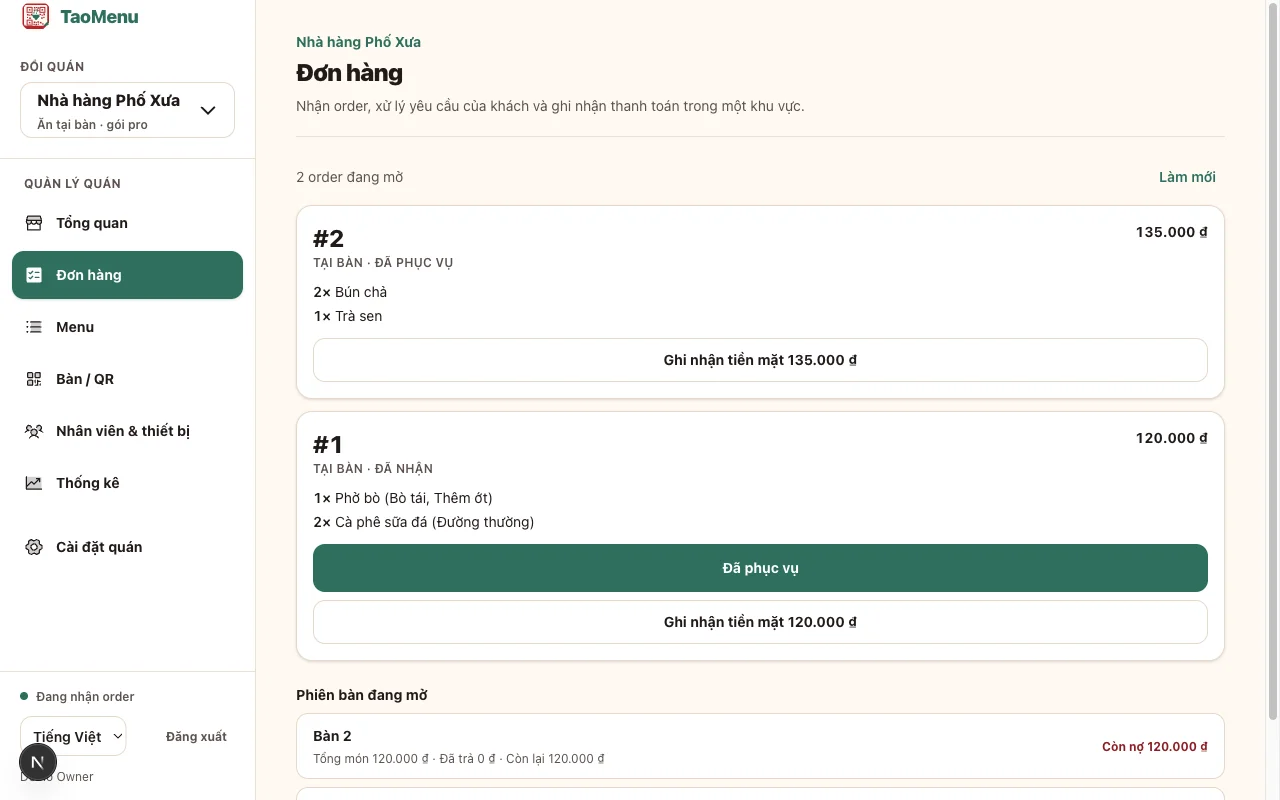
With cloud-native platforms like TaoMenu, the entire ordering and ticket management system runs directly in the mobile browser.
flowchart LR
  A["Guest Scans Table QR"] --> B["Cloud Server"] --> C["Staff & Kitchen Smartphone Screens"]
How the Workflow Unfolds:
- Guests scan table QR codes: Customers order directly from their phone browsers.
- Staff receives instant mobile alerts: Waiters or kitchen staff hear an audio chime and see incoming orders with table numbers, timestamps, and item notes on their smartphones.
- Simple status progression: Staff tap on-screen to mark items: Accepted → Ready / Served → Paid.
3. Benefits of POS-Free QR Ordering
Zero Capital Expenditure
Avoid upfront hardware loans and upfront depreciation. Utilize the smartphones your team already carries every day.
Immune to Power Outages and Network Crashes
Traditional POS setups fail when local power cuts or router cables disconnect. Mobile-first systems run reliably over cellular 4G/5G data with long-lasting battery life.
Perfect for Compact Counter Spaces
For takeaway counters, food trucks, and small cafe bars, physical counter real estate is precious. Removing a bulky POS monitor frees up room for product displays or customer service.
4. When DOES a Business Actually Need a Full POS?
You should only invest in traditional POS hardware if:
- You operate a large venue with 50+ tables across multi-floor dining rooms.
- You require deep, gram-level inventory depletion tracking for enterprise accounting.
- You are subject to strict franchise auditing requirements.
For independent casual eateries, street food spots, and cafes, a phone-based QR ordering workflow is by far the most agile and cost-effective choice.
👉 Learn more: